
Trust center

Built to keep your words on your Mac

Voice Type ships without analytics, logging, or backend services. Dictation runs locally, payments flow through the Mac App Store, and optional rewrites use your own key.

No analyticsNo loggingOn-device dictation

Voice Type keeps dictation on your Mac and avoids the usual cloud data trail. That simpler architecture means fewer systems to review and fewer surprises in a security check.

What matters

The clean version: we do not collect the stuff people worry about.

Voice Type runs locally, does not keep a customer speech store, and gives you a short list of data flows you can actually inspect.

What we do not collect

  • No analytics or tracking pixels.
  • No crash logs or telemetry.
  • No transcripts, prompts, or audio.
  • No accounts to create. There is no sign-in.

Payments go through Apple

Purchases and trials are processed by Apple through the Mac App Store. We never see card numbers or billing details. Voice Type calls StoreKit to confirm licenses, which is the only network request dictation depends on.

Dictation stays local

Recognition runs entirely on your Mac. Audio is not uploaded. If you enable bring-your-own-key rewriting, text goes directly from the device to the provider you choose. We do not proxy or retain that traffic.

No application backend

We do not run a customer application backend. The marketing site is a static export. The endpoints you should see are Apple domains for licensing, one six-hourly GET to a static JSON file we host, and, if enabled, your selected rewrite provider.

The one optional network path

Rewriting is a setting, and it starts off.

Dictation never needs the network. The rewrite feature is the only part of Voice Type that can, and it stays switched off until someone switches it on. Apple Intelligence and Ollama keep the rewrite on the machine. Every other provider is a key the user supplies, and the text travels from the Mac to that provider directly.

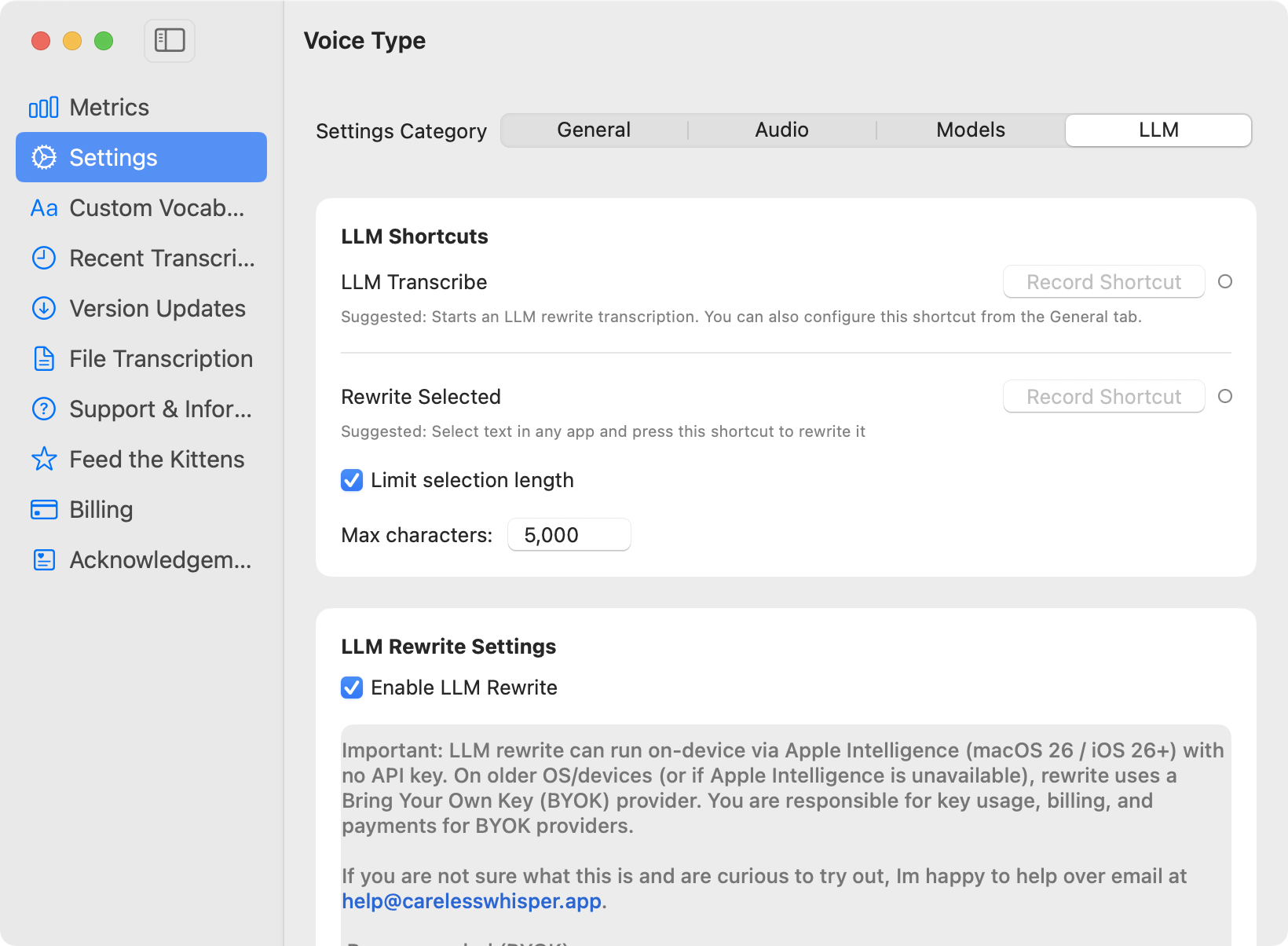
The Voice Type window on macOS, showing Settings with the LLM tab selected. LLM Shortcuts lists LLM Transcribe and Rewrite Selected with no shortcut recorded, plus a checked Limit selection length option set to 5,000 max characters. Below it, LLM Rewrite Settings holds an Enable LLM Rewrite checkbox and a note saying rewrite can run on device via Apple Intelligence on macOS 26 with no API key, and otherwise uses a Bring Your Own Key provider whose usage and billing are the user's responsibility.
Enable LLM Rewrite ships off and is shown here switched on. Once it is on, text goes from the Mac to the chosen provider directly, with no Voice Type server in between. Screenshot of Voice Type on macOS, unretouched.

Subprocessors

Three companies, and none of them hears a word.

A subprocessor is a company we engage to process data on our behalf. Voice Type engages three. This is the complete list, current as of 2026-08-29. Bring-your-own-key rewrite providers are not on it: you engage those directly with your own key, and the full list of them is on the dictation privacy comparison.

SubprocessorWhat it handlesEver sees dictation
AppleMac App Store distribution, payment, receipts, and the iCloud mailbox behind support@carelesswhisper.appNo
CloudflareWebsite hosting, DNS, the files.carelesswhisper.app host, and email forwarding for support@carelesswhisper.appNo
PostHogWebsite analytics only, on us.i.posthog.com, which is PostHog’s United States cloudNo

Most dictation vendors publish no subprocessor list at all. We read ten of them on 2026-08-29 and wrote down what each one says, with the quotes and links: dictation app privacy, compared.

How you can verify

Do not take our word for it.

Check 1

Turn off Wi-Fi and dictate. Voice Type continues to work offline.

Check 2

Use a network monitor like Little Snitch. You should see Apple licensing calls, one six-hourly GET to files.carelesswhisper.app, and, if enabled, your rewrite provider. Nothing else.

Check 3

Run curl -s https://files.carelesswhisper.app/review-gate.json to see the whole of what that six-hourly call can return.

Check 4

Review System Settings → Privacy & Security → Microphone to confirm Voice Type access.

Questions

Need a straight answer from a human?

If you have a security question, procurement request, or a very specific privacy concern, send it over. This should be a short conversation, not a month-long scavenger hunt.

Contact us

Try it on your own work

Voice Type is on-device dictation for macOS. Hold a hotkey, speak, and release to insert text in any app. Your audio never leaves your Mac. Free for 7 days, then $19.99 once on the Mac App Store. No subscription and no account.

Start the free trial